Setup a CC3D for GPS
- Lalanne Laurent
Prerequisites
We assume the GPS is already configured like explained in this page.
19200bauds, Ublox GPS
CC3D GPS Navigation
| CC3D and Atom boards do not support GPS navigation features like RTH, PosHold, waypoints... Only Revolution, Revolution Nano and Sparky2 can use GPS for navigation. |
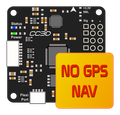
This GPS setup is only needed if you want to use MinOPOSD (Distance to Home, heading data...). See MinOPOSD setup page.
CC3D setup
Starting from a CC3D board freshly updated / erased.
Set GPS port
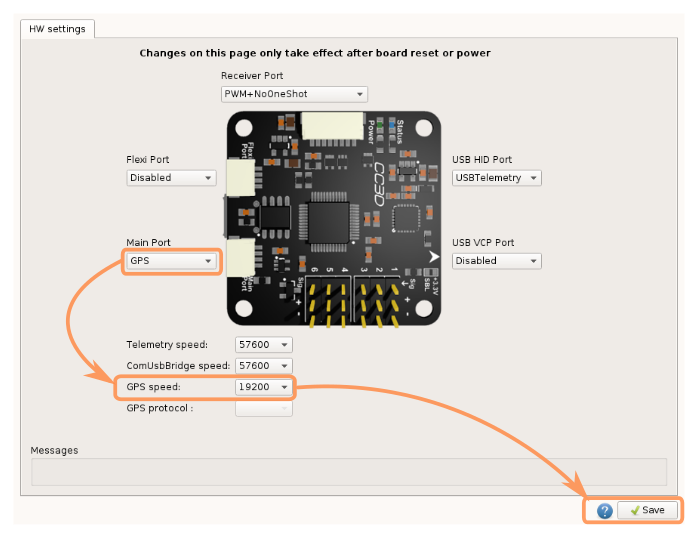
Go into Hardware tab and setup a GPS port, in this example : MainPort
- Set GPS to MainPort
- Set baudrate to 19200bds
- Save changes
Reboot ( disconnect all power and USB)
Enable GPS module
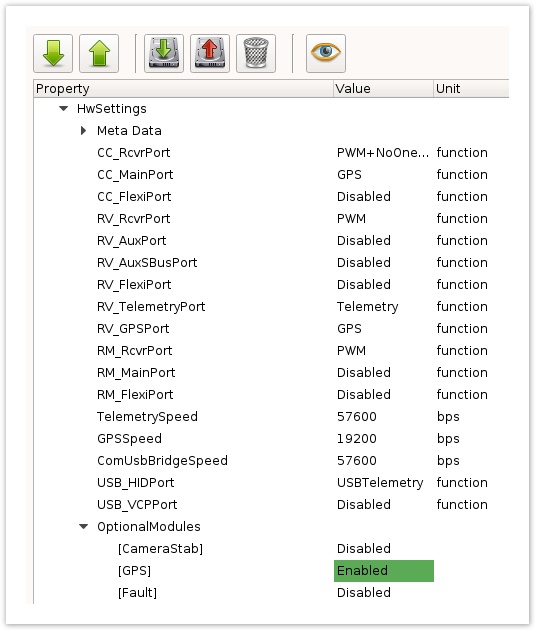
Go into System tab > UAVOBrowser > HwSettings > OptionalModules
- Set GPS module to Enabled
- Save changes using the
 upload button
Reboot ( disconnect all power and USB)
Connect GPS hardware
At this state you should get a red cross over GPS alarm in SystemHealth

- Connect GPS to MainPort
- Power the board with external source, usually +5v from a step down or Esc
If GPS is talking with CC3D you should get a red alarm:

After a successful GPS lock, a orange/green alarm:

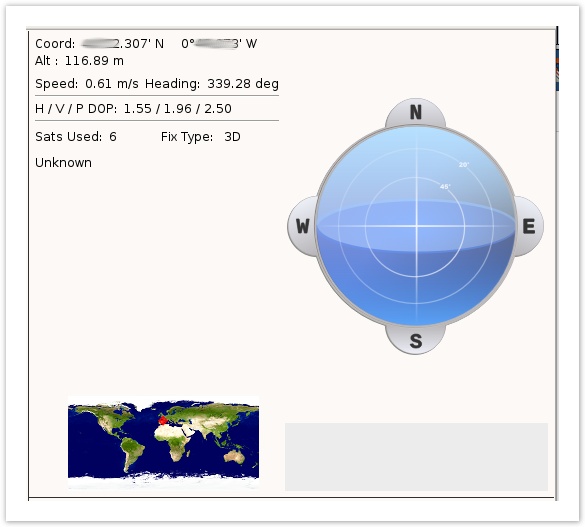
GPS panel display a minimal set of informations:
- Lat/Lon + altitude
- Speed
- Heading (from path direction)
- Number of sats used
- Fix type
- No GPS on skyview, no date/time: This is normal, CC3D works only with a minimal set of messages. Like explained in Configure a GPS for CC3D page.