Windows Building and Packaging
- Lalanne Laurent
- Konstantin
- Alessio Morale
Introduction
The old GitBash build environment is deprecated and we use now the Msys2 that supports a package system for updates.

Install Msys2
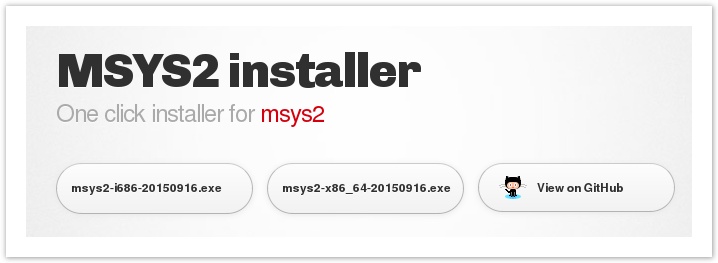
- Download the msys2 installer from https://msys2.github.io
- Install Msys2 following the instructions on the web site.
- You can either install the i686 (32 bit) or x86_64 (64 bit) version, this applies to host used. Both installers support Win32 and Win64 shells.
- Update Msys2 to the latest available binaries following steps 5 to 7 of Msys2 installation guide.
pacman -Syu
If you get build errors when pulling new code later, always try re-running "pacman -Syu" as that will often resolve build problems.
Username / Home directory
Msys2 creates the home directory using the current Username from Windows.
Be sure the home directory does not contains spaces and rename it if needed.
Check your home directory:
cd ~
pwd
Add LibrePilot MinGW repository
Add the following lines at the end of your /etc/pacman.conf file:
[librepilot-mingw]
SigLevel = Optional TrustAll
Server = http://download.librepilot.org/repo/mingw
Paste this code into the bash-window to add the above lines to /etc/pacman.conf
echo "[librepilot-mingw]" >> /etc/pacman.conf
echo "SigLevel = Optional TrustAll" >> /etc/pacman.conf
echo "Server = http://download.librepilot.org/repo/mingw" >> /etc/pacman.conf
Install required packages
If you followed the previous instructions from the msys2 website, you have now a fresh build environment.
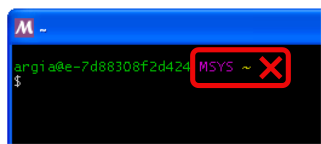
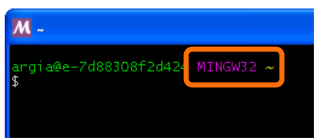
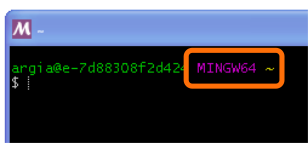
- Start a MinGW-w64 Win32 Shell or MinGW-w64 Win64 Shell but not a MSYS2 Shell
- Install the dependent packages that match your MinGW shell.
For 32 bit:
pacman -Sy
pacman -S --needed git unzip tar mingw-w64-i686-toolchain mingw-w64-i686-ccache mingw-w64-i686-ntldd mingw-w64-i686-qt5 mingw-w64-i686-SDL mingw-w64-i686-mesa mingw-w64-i686-openssl mingw-w64-i686-gdal-minimal mingw-w64-i686-OpenSceneGraph mingw-w64-i686-osgearth
pacman -S --needed mingw-w64-i686-graphite2 mingw-w64-i686-nghttp2
pacman -S --needed mingw-w64-i686-gst-plugins-base mingw-w64-i686-gst-plugins-good mingw-w64-i686-gst-plugins-bad mingw-w64-i686-gst-plugins-ugly  mingw-w64-i686-gst-libav
Optionally install debug packages:
pacman -S --needed mingw-w64-i686-OpenSceneGraph-debug mingw-w64-i686-osgearth-debug
For 64 bit:
pacman -Sy
pacman -S --needed git unzip tar mingw-w64-x86_64-toolchain mingw-w64-x86_64-ccache mingw-w64-x86_64-ntldd mingw-w64-x86_64-qt5 mingw-w64-x86_64-SDL mingw-w64-x86_64-mesa mingw-w64-x86_64-openssl mingw-w64-x86_64-gdal-minimal mingw-w64-x86_64-OpenSceneGraph mingw-w64-x86_64-osgearth
pacman -S --needed mingw-w64-x86_64-gst-plugins-base mingw-w64-x86_64-gst-plugins-good mingw-w64-x86_64-gst-plugins-bad mingw-w64-x86_64-gst-plugins-ugly mingw-w64-x86_64-gst-libav
Optionally install debug packages:
pacman -S --needed mingw-w64-x86_64-OpenSceneGraph-debug mingw-w64-x86_64-osgearth-debug
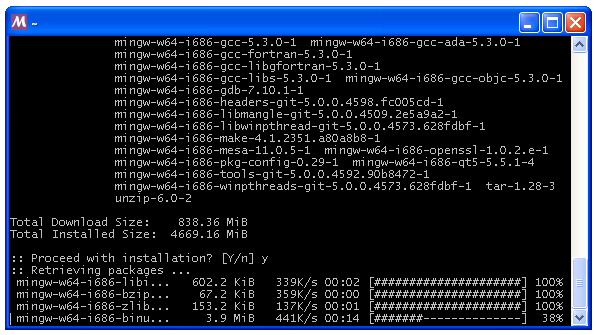
When pacman ask for default selection=All, hit Enter and next step you should say 'Y' to start download.
This can take a while, fast internet connection preferred !
After download pacman will install all packages automatically.
Note
Every time you need a 'make' command you need to run the mingw version of make, which is `mingw32-make`
To make this easier, you can execute this once:
echo "alias make=mingw32-make" >> ~/.bashrc && . ~/.bashrc
and just use 'make'.
Get the code using Msys2
- Start a Win32 or Win64 shell

- By default the shell start in home/[username], if you want to return back to home dir type: cd ~
- Clone repository using git command :
git clone https://bitbucket.org/librepilot/librepilot.git
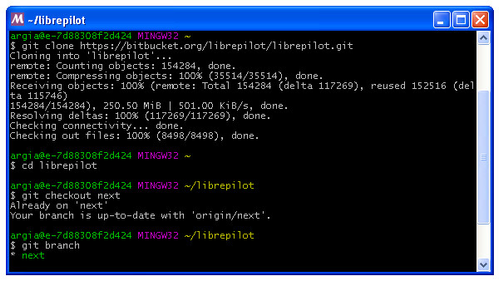
cd librepilot
git checkout next
Install the toolchain
The toolchain is used to build the software:
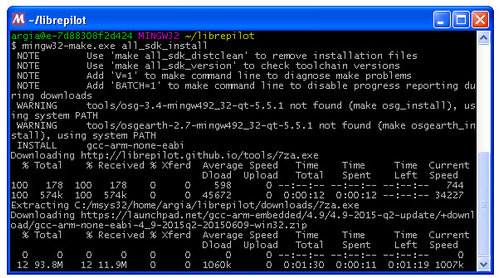
Using mingw32-make:
mingw32-make all_sdk_install
(NOTE: Network transfers may fail. If you see errors just keep re-executing the command until if completes successfully. If asked to replace files, answer 'y' or 'A')
| Tool | Approx. size | Used for |
|---|---|---|
| Arm compiler | ~94Mb | firmware build |
| Nsis | ~2,1Mb | Windows installer |
| Mesa | ~13Mb | OpenGL software driver |
| ccache | ~350Kb | Build faster |
| gtest | ~1,1Mb | |
| uncrustify | ~250Kb | Format code |
| doxygen | ~4Mb | Documentation |
Building the LibrePilot software
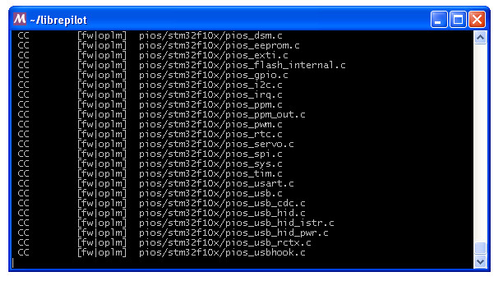
Basically you just need to type:
mingw32-make package
See also the Make basics page and learn more about 'make' commands, just replace the make command with mingw32-make.
It will build the UAVObjGenerator utility and all firmwares:
Then GCS software:
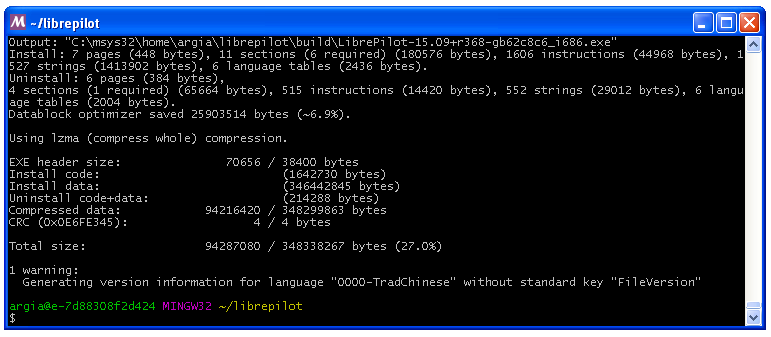
Finally all files are packaged using the Nsis software installer.
At end, the LibrePilot software installer can be found in ~/librepilot/build/ directory.
Congrats !
Congratulations! You have setup the build environment and built the complete LibrePilot software suite!